Over the past couple of months, I’ve been experimenting with skills in Claude Code — and it’s genuinely changed how I work. By creating a SKILL.md file, I can give Claude specific instructions for recurring tasks, getting consistent, high-quality output without repeating myself every session. Skills also follow an open standard, meaning they can work across different AI coding agents, not just Claude Code. In this post, I’ll focus on Claude Code, where I’ve found the skills capability particularly effective.
What are skills and why should PMs care?
Think about the PM tasks you do repeatedly: writing PRDs, structuring quarterly planning docs, running competitor analyses, or summarising A/B test results. Skills let you automate these in a way that meets your quality standards and produces consistent output every time. You’re not just saving time, you’re encoding your judgment and requirements into the tool.
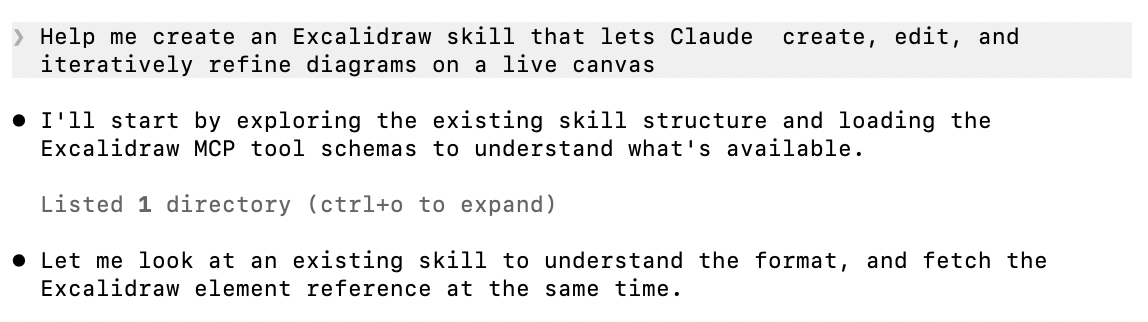
You can create your own skill from scratch (following a standard format), download one someone else has built (skills.sh for example), or simply ask Claude to generate one for you. I recently asked Claude to help me create a skill that kicks in whenever I want to draw something in Excalidraw:
You can use skills for a whole host of things. Here are some examples that are particularly useful for product people:
- Competitive analysis – The skill outlines the output you want when using AI to analyse competitors. For instance, it can list specific competitors to track, what to look for across each business, and how to map their differentiators against your own company.
- Stakeholder updates – Ensuring every recurring stakeholder update or quarterly report contains the same key content, such as OKR impact, metrics performance, and risks.
- PRD creation and review – The skill describes the PRD template you want the AI to follow, complete with dos, don’ts, and best practices. You can create a separate review skill that acts as a checklist, prompting the AI to look out for specific things when reviewing someone else’s PRD.
- Error analysis – Similar to my error analysis skill example below, you outline exactly how you want the agent to analyse and report errors. This gives you a consistent, structured breakdown of any code errors in a format that’s most actionable for you or your team.
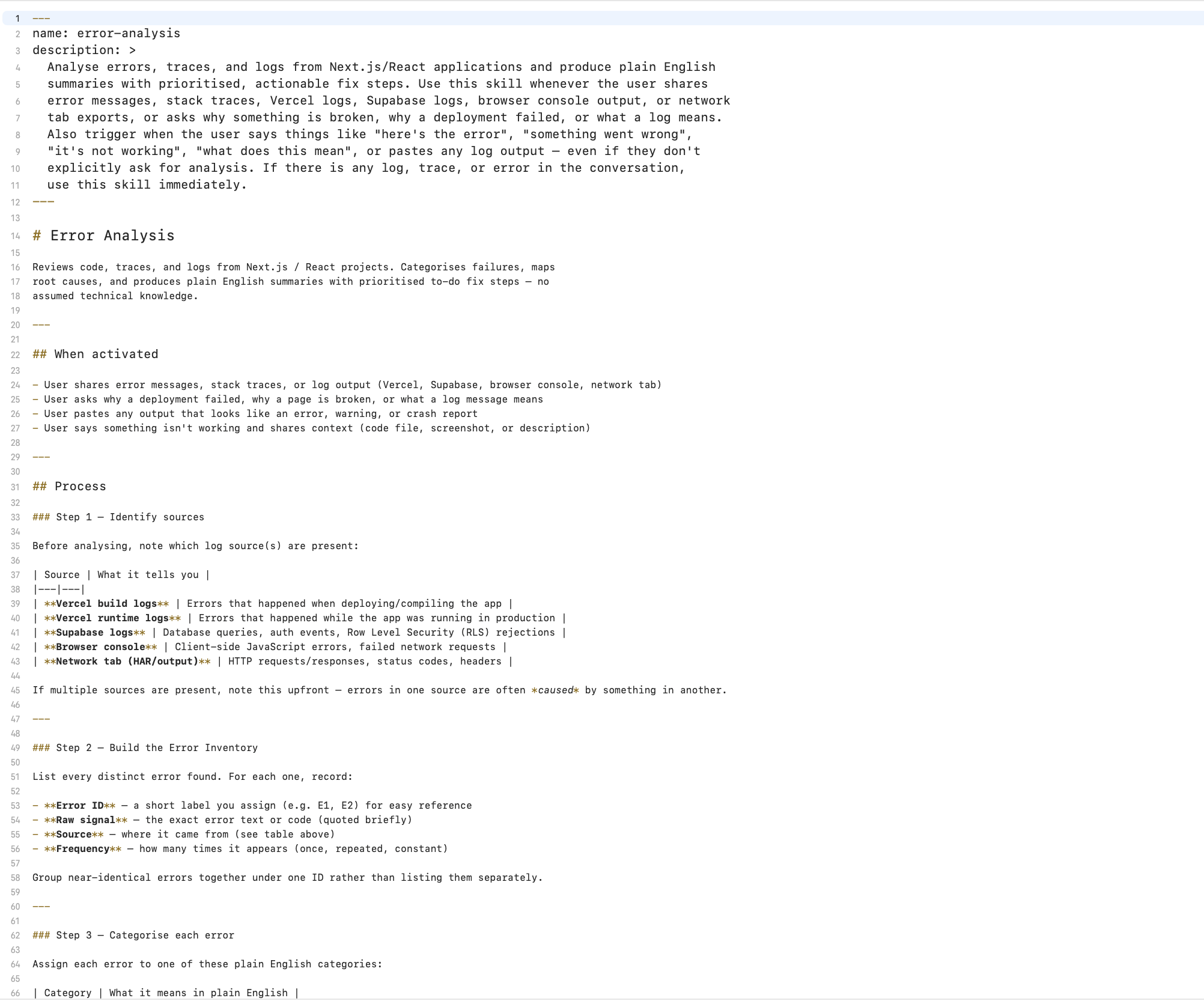
A skill is captured in a structured markdown file (SKILL.md) which contains YAML front matter that tells the LLM when to activate it. Project-agnostic skills live in ~/.claude/skills, while skills created for a specific project go in ~/Projects/<project-name>/.claude/skills.
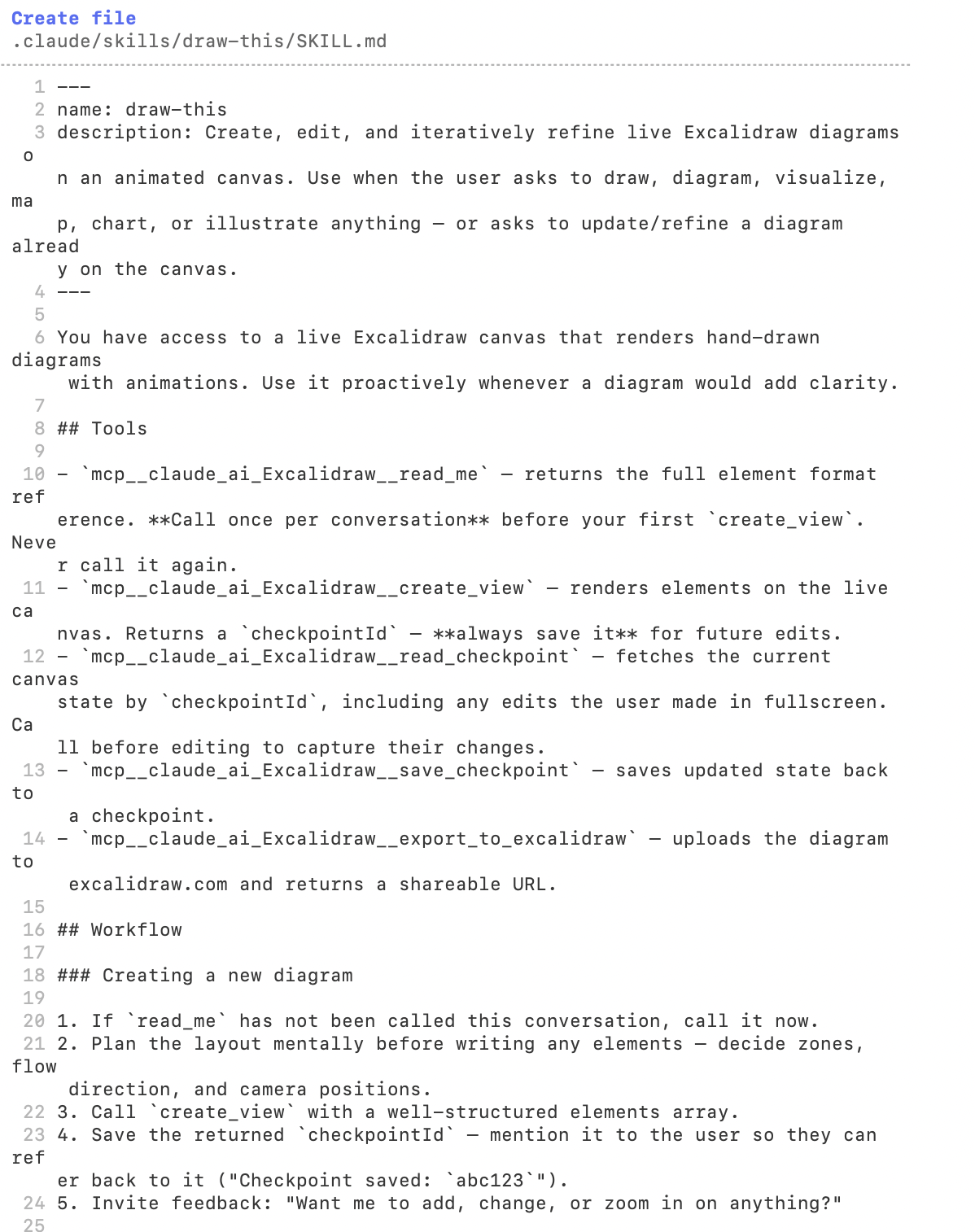
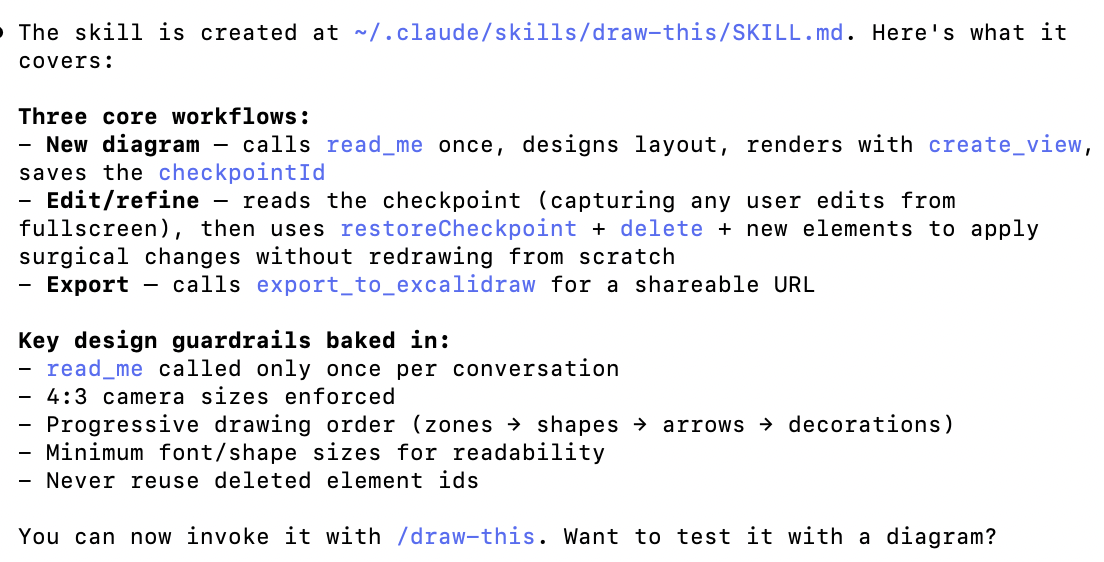
In Claude Code, skills are triggered either automatically based on context or manually via / slash commands. In my Excalidraw example, the skill activates automatically when I ask the AI to visualise, draw, or diagram something. Alternatively, I can invoke it directly using the /draw-this command.
One skill that makes me chuckle, and is quite telling about where we are with AI, is the “humanizer” skill. It’s designed to remove signs of AI-generated writing from text, making it sound more natural. The fact that this exists as a dedicated, shareable skill says something about how people are actually using these tools.
What’s the difference between skills, subagents, and hooks?
Once you start customising Claude Code, you’ll quickly encounter three distinct layers: skills, subagents, and hooks. They’re not competing options, each solves a different kind of problem.
Skills are reusable workflows and instructions you can invoke on demand. Like my error analysis and Excalidraw examples above, a skill tells Claude how to approach a specific task. Skills can be triggered automatically based on context or via a /slash-command. Think of them as your personal playbook for recurring work.
Subagents are isolated workers that Claude can spin up to handle specific tasks in parallel, without cluttering your main session. Where a skill runs within your current conversation, a subagent operates in its own context. I’ve found them most useful for heavier tasks like running a full code review or doing deep research. Subagents report back to the parent session when they’re done.
Hooks are automated actions that run in the background at specific moments during a Claude Code session, without any prompting required. You define them once, and they fire automatically whenever a particular event occurs, like before Claude runs a command or after it edits a file. For example, you could create a hook that intercepts a destructive terminal command (like rm, which deletes files) and blocks it before any damage is done. Or use a hook to automatically load an error log file into every subsequent Claude Code session, so your error analysis skill always has the latest context to work with.
A nice way to think about it: use skills for reusable workflows you want to invoke; use subagents when you need parallel work or context isolation; use hooks to enforce rules and automate side effects that should always happen.
Main learning point: I’ve found skills to be incredibly useful in getting more from Claude Code. Rather than re-prompting the same recurring tasks over and over again, skills let you encode your standards and workflows once and invoke them consistently.
Related links for further learning:
- https://code.claude.com/docs/en/skills
- https://pub.spillwave.com/mastering-agentic-skills-the-complete-guide-to-building-effective-agent-skills-d3fe57a058f1
- https://www.chatprd.ai/how-i-ai/claude-skills-explained
- https://medium.com/algomart/claude-md-vs-skills-vs-subagents-vs-hooks-how-to-choose-the-right-claude-code-customization-layer-903b75d061db
- https://levelup.gitconnected.com/a-mental-model-for-claude-code-skills-subagents-and-plugins-3dea9924bf05
- https://medium.com/product-powerhouse/claude-skills-the-ai-feature-thats-quietly-changing-how-product-managers-work-aad5d8d0640a

